Mobile App · 2026
PooperScooperAI App
The inbox and the numbers, in a pocket
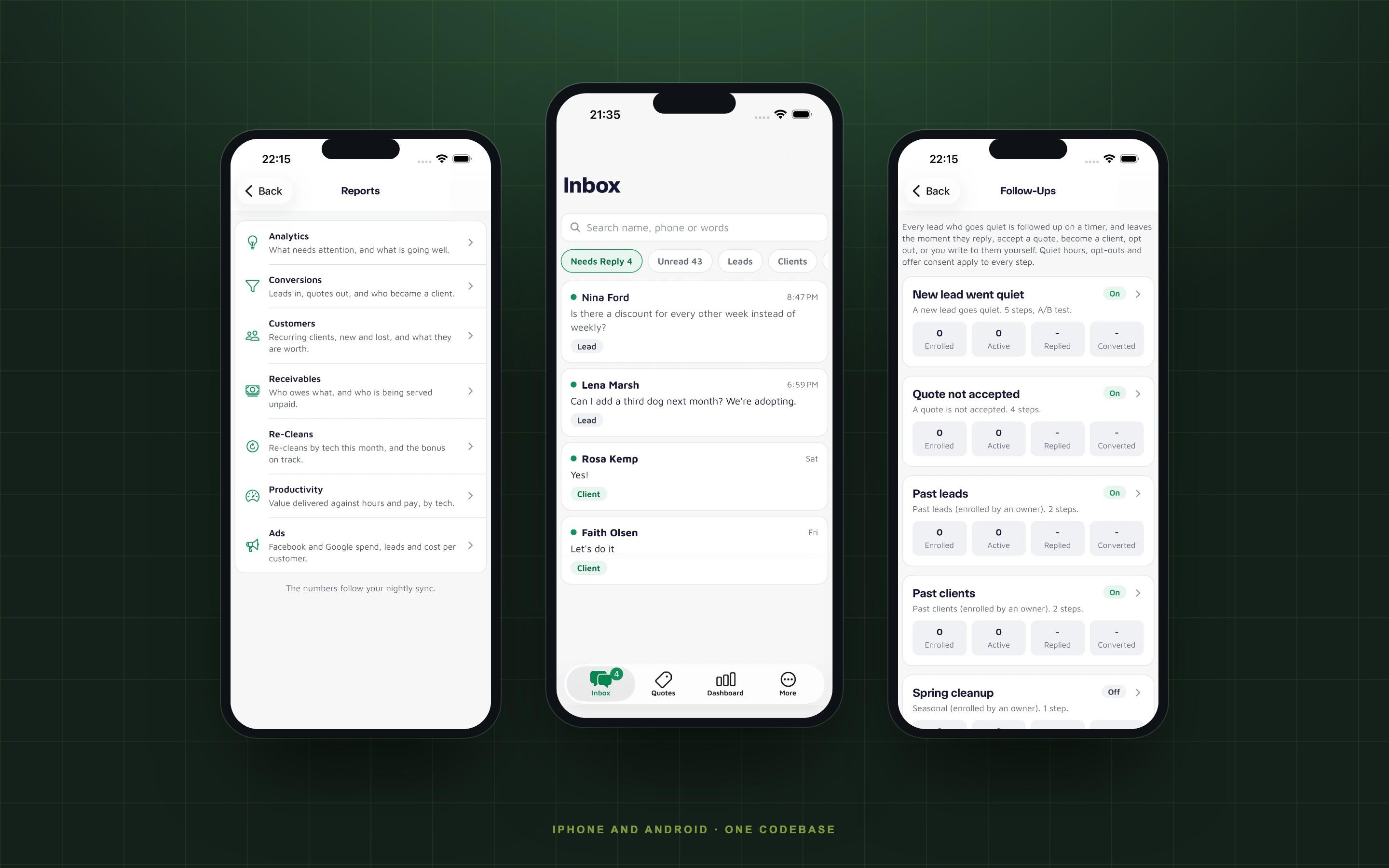
The owner of a scooping business spends the day in other people's yards, so the back office goes in a pocket: the inbox with the assistant's draft waiting at the end of each thread, quotes, the dashboard and reports, mass texts, follow-ups, and every setting down to the website form. A push arrives the moment a lead writes in, and the reply goes from the phone.
- iPhone and Android
- Both storesiPhone and Android
- The moment a lead writes in
- PushThe moment a lead writes in
- Settings included, not a link to the web
- Every screenSettings included, not a link to the web
The problem
A lead answered tonight is worth more than one answered tomorrow from a desk, and the owner is rarely at one. A phone-sized web page could show the inbox but not push a new lead to the lock screen, and the connections that need a sign-in (Jobber, Facebook, Google) refuse to run inside an app's own web view.
What got built
Expo with Expo Router on React Native, a client of the web product's own API with no business logic of its own. Business Settings is drawn from the server's list of fields, so a setting added on the web appears in the app without a release. Sign-in is by password or Google, and the device token lives in the keychain. Push goes through Expo with one switch per kind of notification, and a tap opens the screen it is about. Jobber, Facebook and Google connect through the system sign-in sheet, the furthest in the providers allow. Billing shows the plan and the usage but sells nothing, to keep to the App Store and Google Play rules: paying happens on the web.
Details worth naming
- Four tabs (Inbox, Quotes, Dashboard, More) over every part of the back office, settings included, rather than a viewer that sends you to the website.
- The assistant's draft waits at the end of the thread: send it, edit it or dismiss it, or turn the assistant off for that customer.
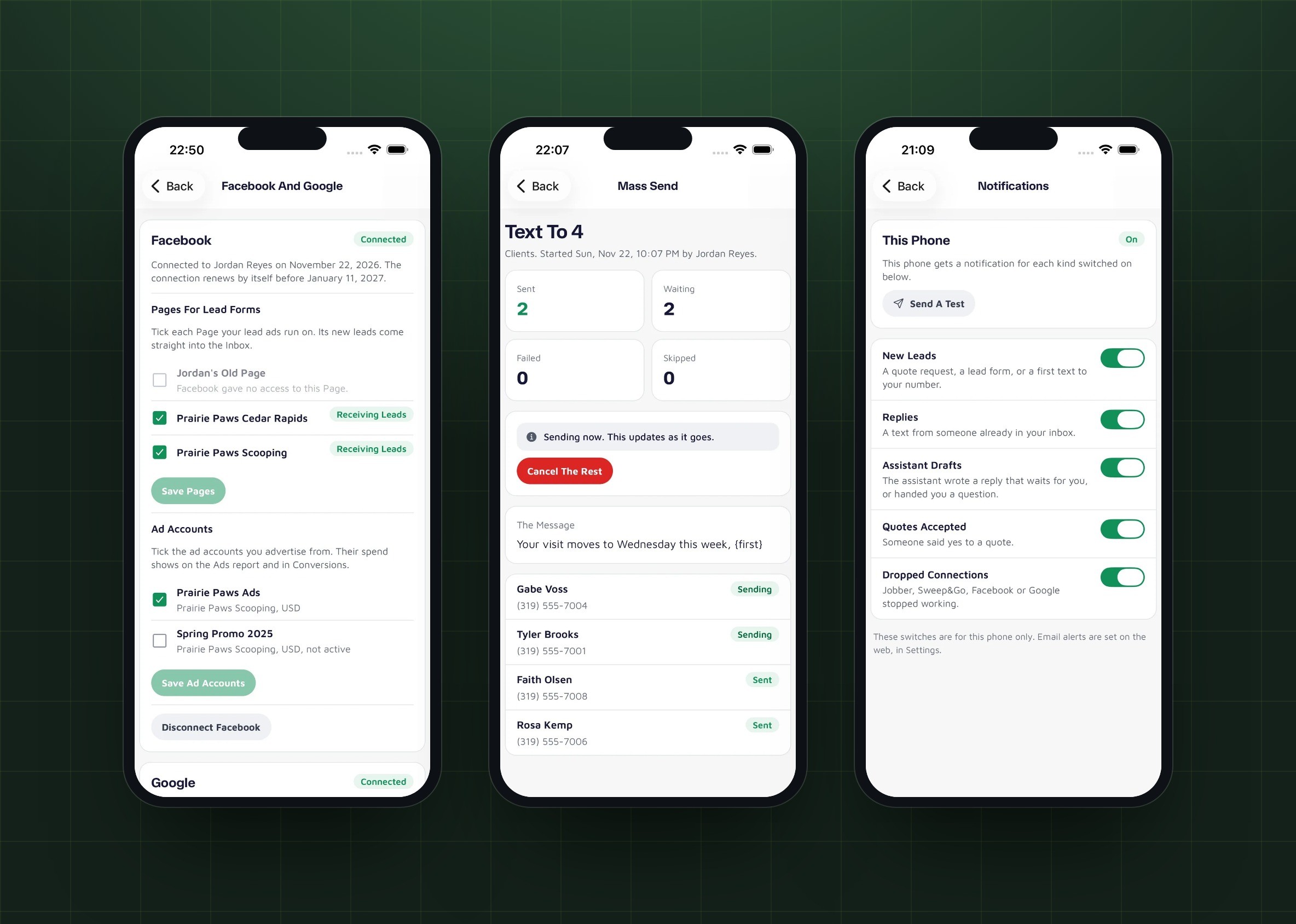
- Push notifications for new leads, replies, drafts, accepted quotes and a dropped connection, each with its own switch, and the Needs Reply count on the app icon.
- Mass texts with a photo in the email version, follow-ups with their results, and seven reports from the business's own CRM.
- Texting registration, the website quote form and its questions, and the Jobber, Facebook and Google connections, all done from the phone.
- Billing shown, never sold in the app, to keep to the App Store and Google Play payment rules.
Inside the product
Screens from the shipped app, captured against a seeded demo business. Every customer and figure is demo data.
Next project
LaneLab
Video stroke analysis platform for a swim coach

Tell us about the business.
What it does, where, and what the website has to make happen. Within a day you will have a straight answer on what it takes to build, what it costs to run, and what we would cut. If the honest answer is that you do not need a new site, that is the answer you get.
Or skip the form entirely. hello@pinelandtech.com reaches a person, not a queue.