
Every site comes with a back office.
Sign in at your own address, yoursite.com/admin, and see who is visiting, what you are paying for, and how to get something changed. It is the part of a website most businesses never get, and here it is included with every site we host.
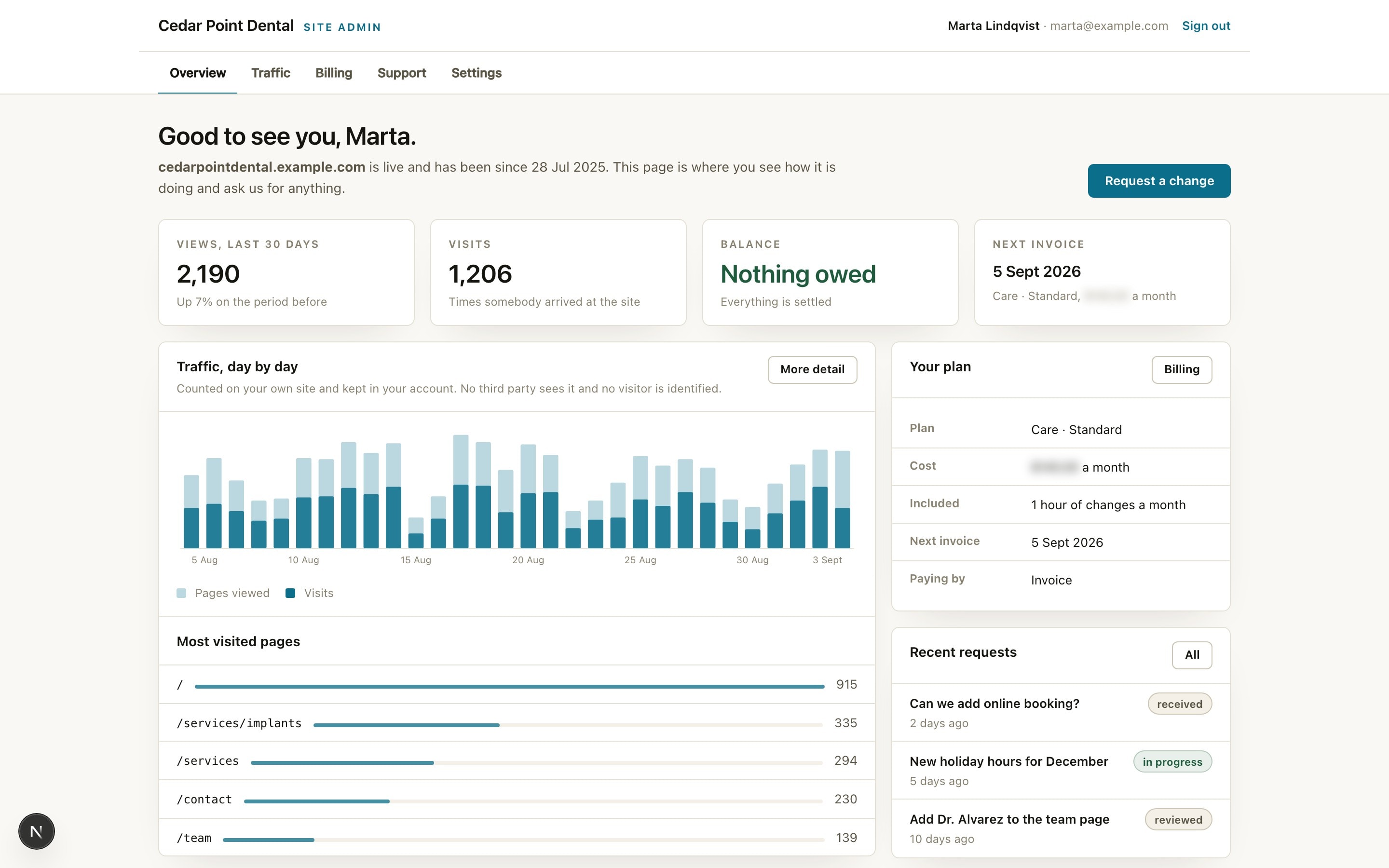
The real thing, running against a demo account. The business, the person, and the figures are made up, and prices are blurred.
Signing in
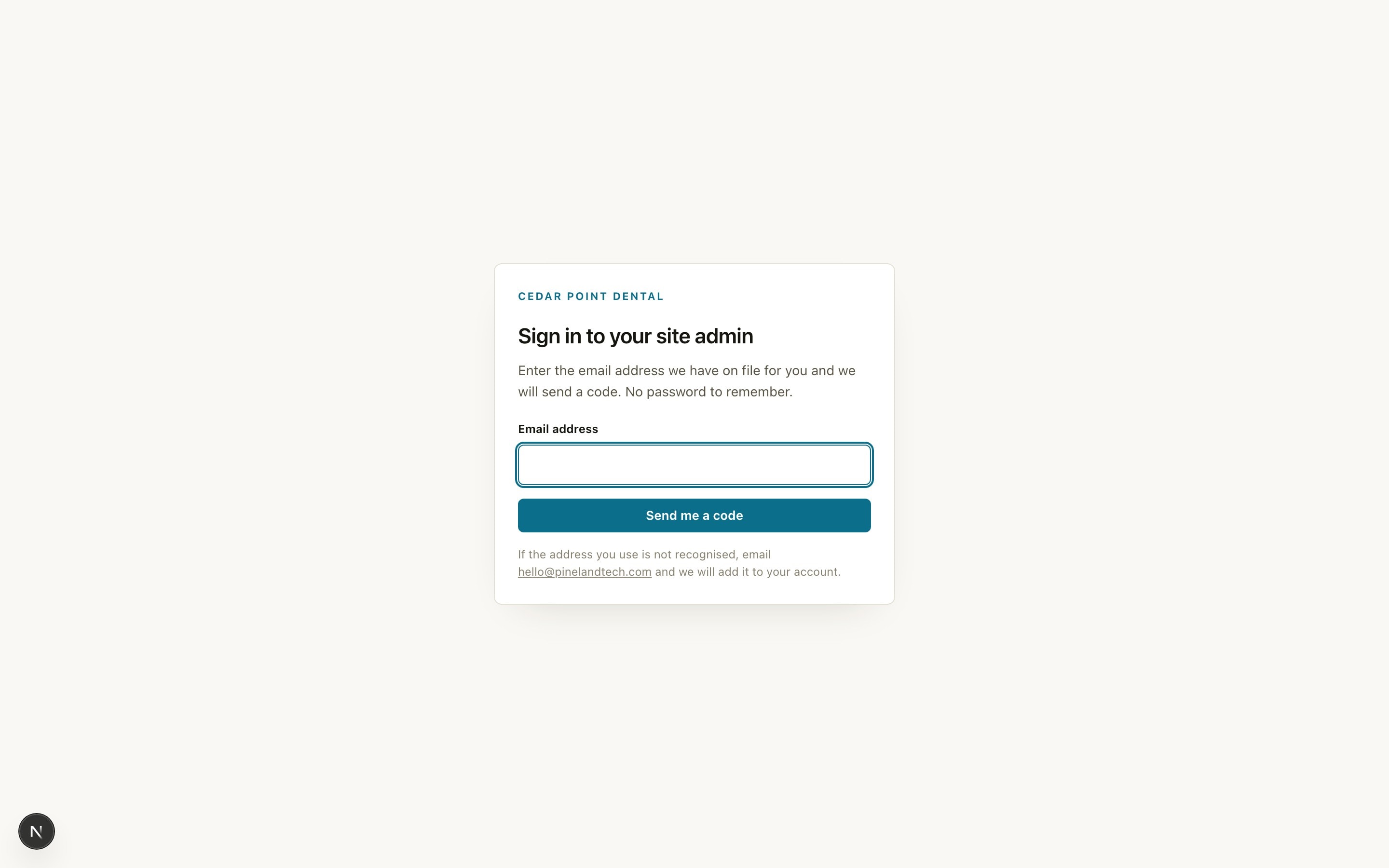
A code by email. No password, ever.
Type the address we have for you, and a six digit code arrives. It works once and for fifteen minutes. Anyone on your account with us can get in, whether that is you, your office manager, or your bookkeeper, and adding a person is a request rather than a password reset.
Whether an address is on your account or not, the screen says the same thing, because a sign in form that confirms which addresses exist is a directory.
What is in it
Four pages, each answering a question you actually ask.
Traffic
Who is coming, from where, to which pages.
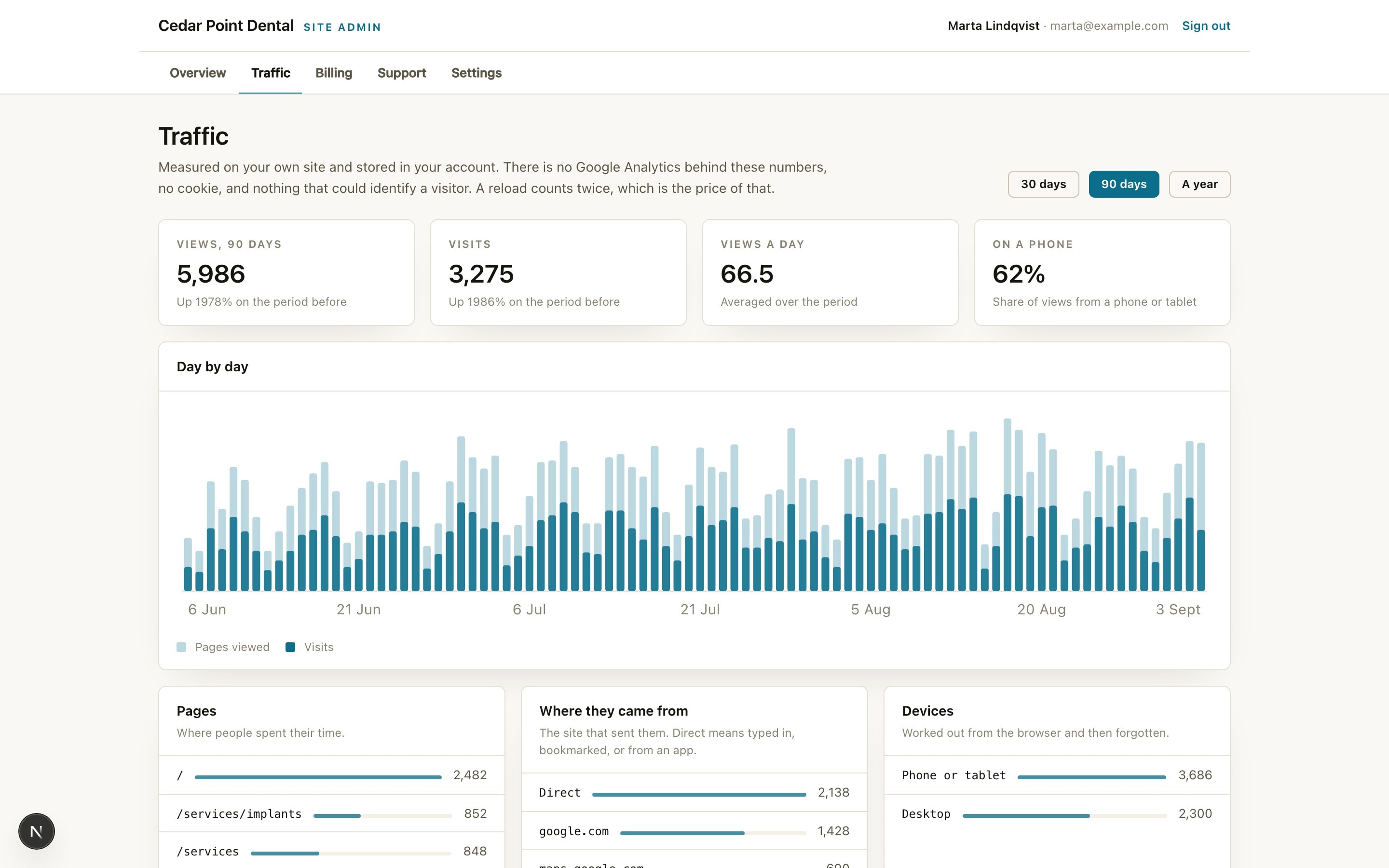
Counted by your own site and stored in your account, not in an ad network's. There is no Google Analytics behind these numbers, no cookie, and nothing that could identify a visitor. What you get is the questions a business actually asks: is anyone coming, what are they reading, did they arrive from Google or from a post you shared, and are they on a phone.
- Views and visits, day by day, over thirty days, ninety, or a year
- Most visited pages, referring sites, phone against desktop
- Add Google Analytics or a Meta pixel yourself when you run ads, in one box
Billing
Your plan and every invoice, in one place.
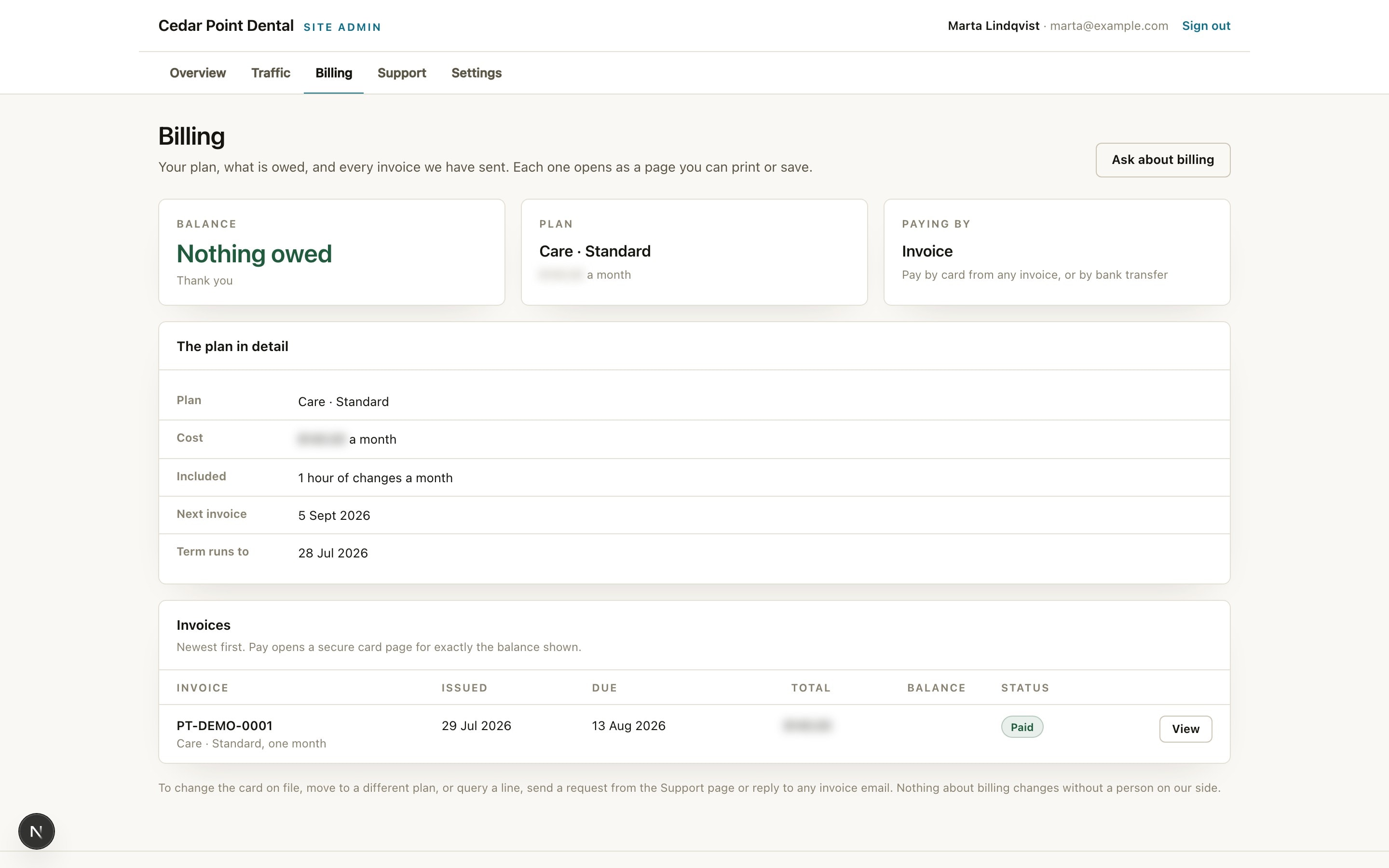
The same figures we see, from the same calculation. Each invoice opens as a page you can print or save, and an open one carries a pay button for exactly the balance shown. Nothing about billing changes without a person on our side, and the page says so.
- What the plan includes and when the next invoice lands
- Every invoice we have sent, with its status, newest first
- Pay by card from any invoice, or keep paying by bank transfer
Support
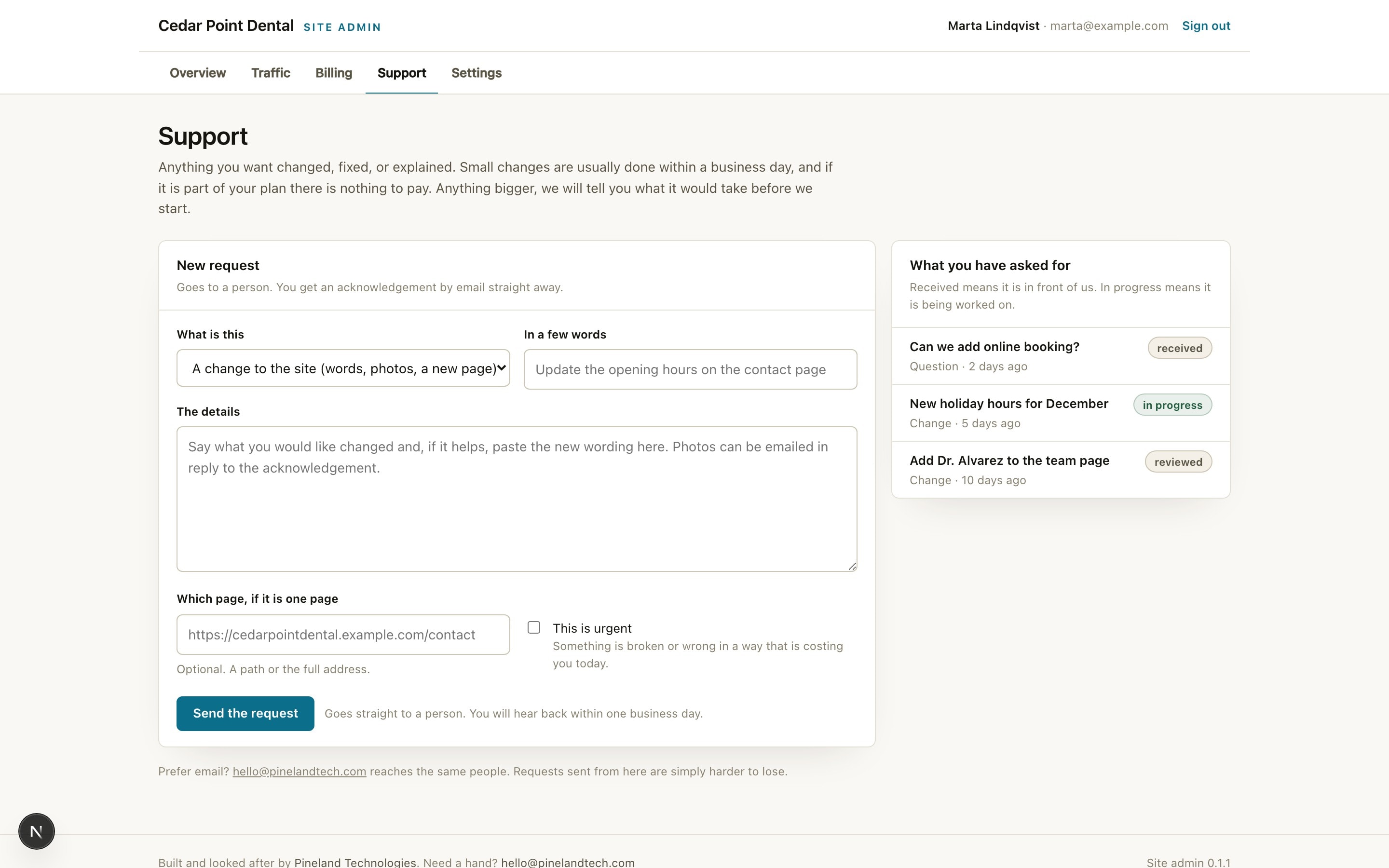
Ask for a change in thirty seconds.
A change to the words, a new photo, a page that is misbehaving, or a question. It goes straight into our console attached to your account, so it cannot be lost the way an email can, and you get an acknowledgement in your inbox before you have closed the tab. You can see what you have asked for and where it stands.
- Change, fix, or question, with the page it is about
- Marked urgent when something is costing you today
- Small changes done within a business day, included in the plan
Settings
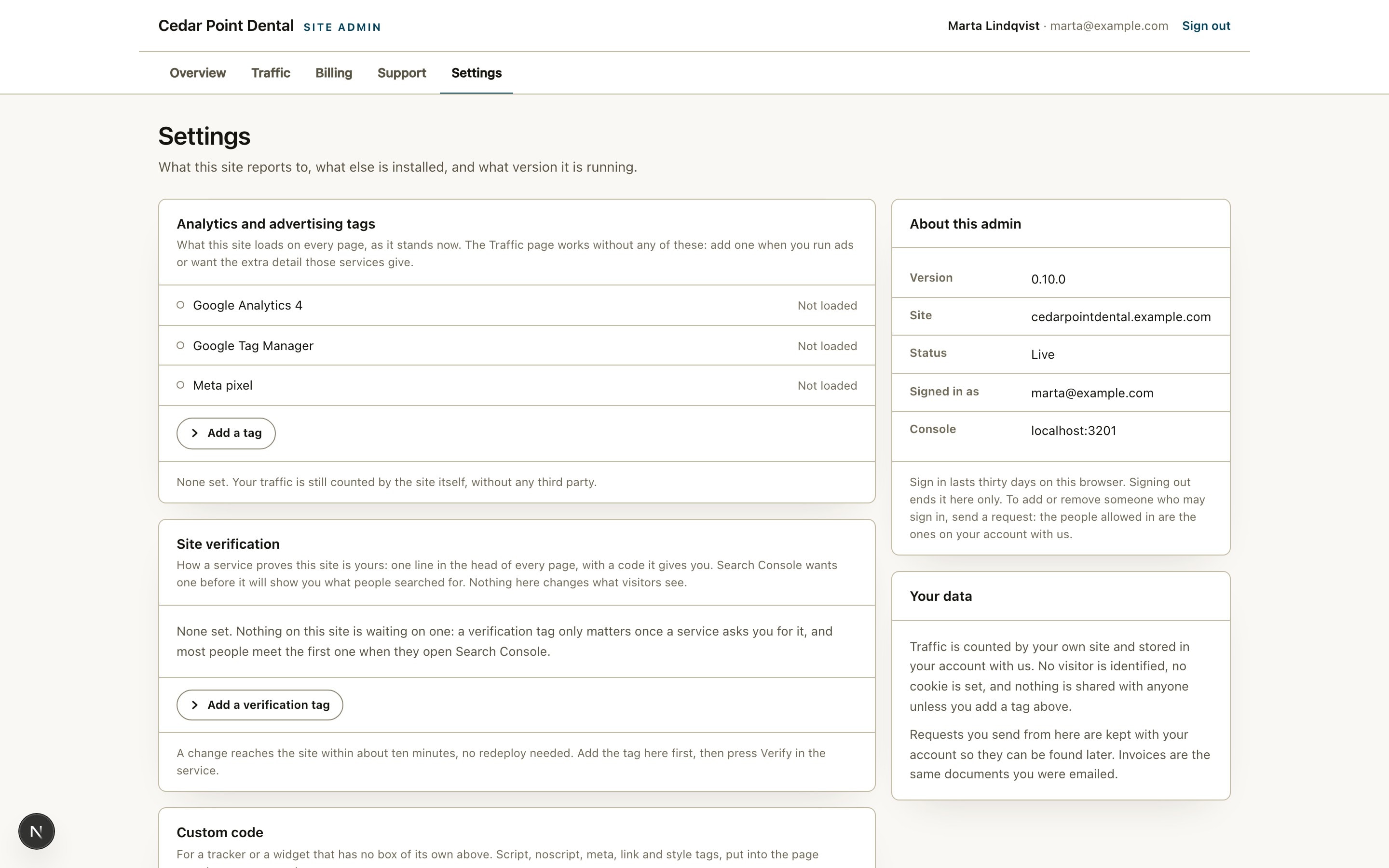
The few things you should be able to change yourself.
Paste a Google Analytics id, a Tag Manager container, or a Meta pixel and the site loads it on every page within about ten minutes, with no redeploy and no call to us. Each id is checked for shape before it is saved, so a typo is refused rather than quietly failing for weeks. The same page takes the verification code Search Console or Bing asks for before it will show you anything, entered as a name and a code rather than as markup, so a wrong one is a wrong code and never anything else. Clear a box and it stops.
- Google Analytics 4, Google Tag Manager, Meta pixel
- Site verification for Search Console, Bing, Pinterest, Meta, and Yandex
- Which tools are installed, the version you are running, and any code we have added for you
- Who may sign in: anyone on your account with us, no passwords to manage
What can be added
Three more rooms, for the sites that need them.
Most sites are the four pages above and nothing else. When a site publishes, sells, or wants its owner editing pages, one of these is installed into it and appears in the same navigation, behind the same code by email. Each is one shared piece of software, so a fix made for one client's shop reaches every shop.
Pages
Rearrange a page and watch the real one change beside you.
A page is a list of finished sections you arrange: pick one from the library, fill in the words and the photograph, drag it above the other one, and publish. The preview on the right is your actual site, rendered by your actual site, so it cannot differ from what a visitor sees. Typing autosaves a draft; nothing the public reads moves until you press Publish.
- Sections designed for your site, with the choices named in your own language
- No font size box, no colour picker, no padding field: nothing that can undo the design
- Facts typed once: a capacity, a price, or a phone number lives in one record and appears everywhere
Newsroom
Write, publish, and see who read it.
For a site that publishes: articles, drafts, a review step for anyone who writes but does not publish, search across everything, and comments that wait in a queue until someone lets them through. Readership is counted the same way the rest of your traffic is, by your own site, with no cookie.
- Drafts, scheduled publishing, and a review queue for other writers
- Comments held for approval, never live by default
- Which articles are read, by how many, over which weeks
Shop
A catalog, a basket, and orders that write themselves.
Products with their options and stock, a basket that survives a closed tab, card checkout, and an order written the moment the payment clears rather than the moment somebody presses a button. Stock comes down when a customer pays. The receipt and the shipped email go out on their own, and the storefront is designed in your site's own world, because a shop that looks like every other shop is not yours.
- Products, orders, shelves, and postage, each on its own screen in your admin
- Your customers and their orders live in your own database, never in ours
- Mark an order shipped and the customer hears about it before you have closed the page
Drawn rather than photographed. The only copies of these running are on our clients' sites, against their own pages, articles, and orders, and none of that belongs here.
How it is built
Six things that are true of every one of them.
The admin is one shared piece of software, installed into each site and upgraded from one place. A fix made for one client reaches every client, and a dental practice and a law firm get the same product with their own name on it.
One sign in, no password
Enter the email address on your account and a six digit code arrives. It works once and for fifteen minutes. There is nothing to forget, reuse, or write on a note.
The same numbers we see
The balance on your dashboard is the balance in our console, from the same line of code. There is no second figure for anyone to argue with.
It grows with the site
A site that publishes gets a Newsroom door. A site that sells gets Shop. A site whose pages you edit gets Pages. Each block we install appears under the same roof, behind the same sign in, one click away, and a site that needs none of them carries none of them.
We can see what you see
When you phone about something on the screen, we open your admin exactly as you see it, from our side, and the visit is written to your account's history.
Nothing is held hostage
The admin is a window onto your account with us, not a lock on your site. The source, the domain, and the accounts move into your name whenever you ask.
Your data stays yours
Traffic is counted by your site and stored in your account. No visitor is identified, no cookie is set, and nothing is shared with anyone unless you add a tag yourself.

Your site, with a back office behind it.
Tell us what the site needs to do. Within a day you will have a straight answer on what it takes to build, what it costs to run, and what we would cut. The admin comes with the hosting, and the hosting is one flat monthly plan.
Or skip the form entirely. hello@pinelandtech.com reaches a person, not a queue.