Mobile App · 2026
Mobile Service Sync Field App
The technician app, iOS and Android
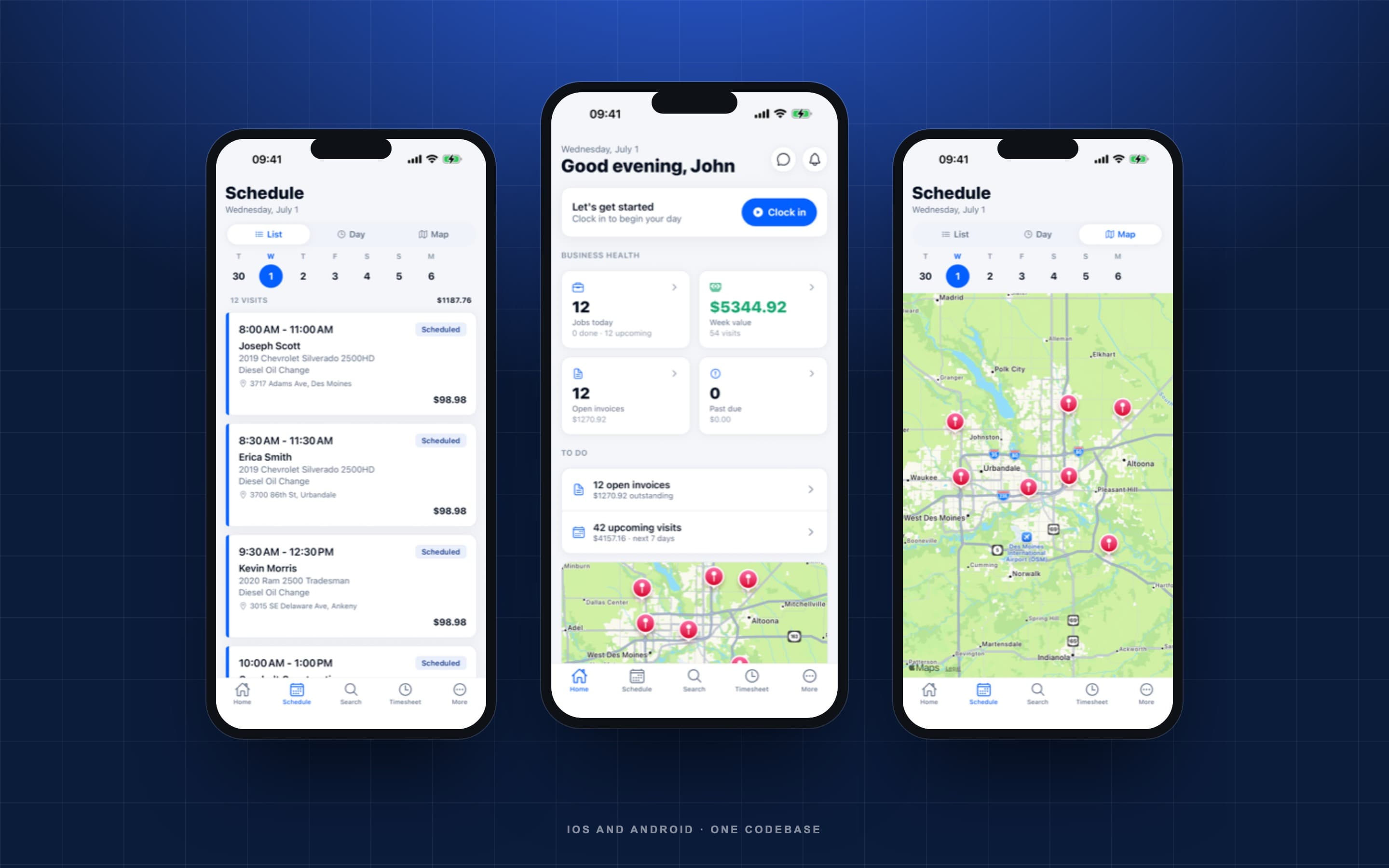
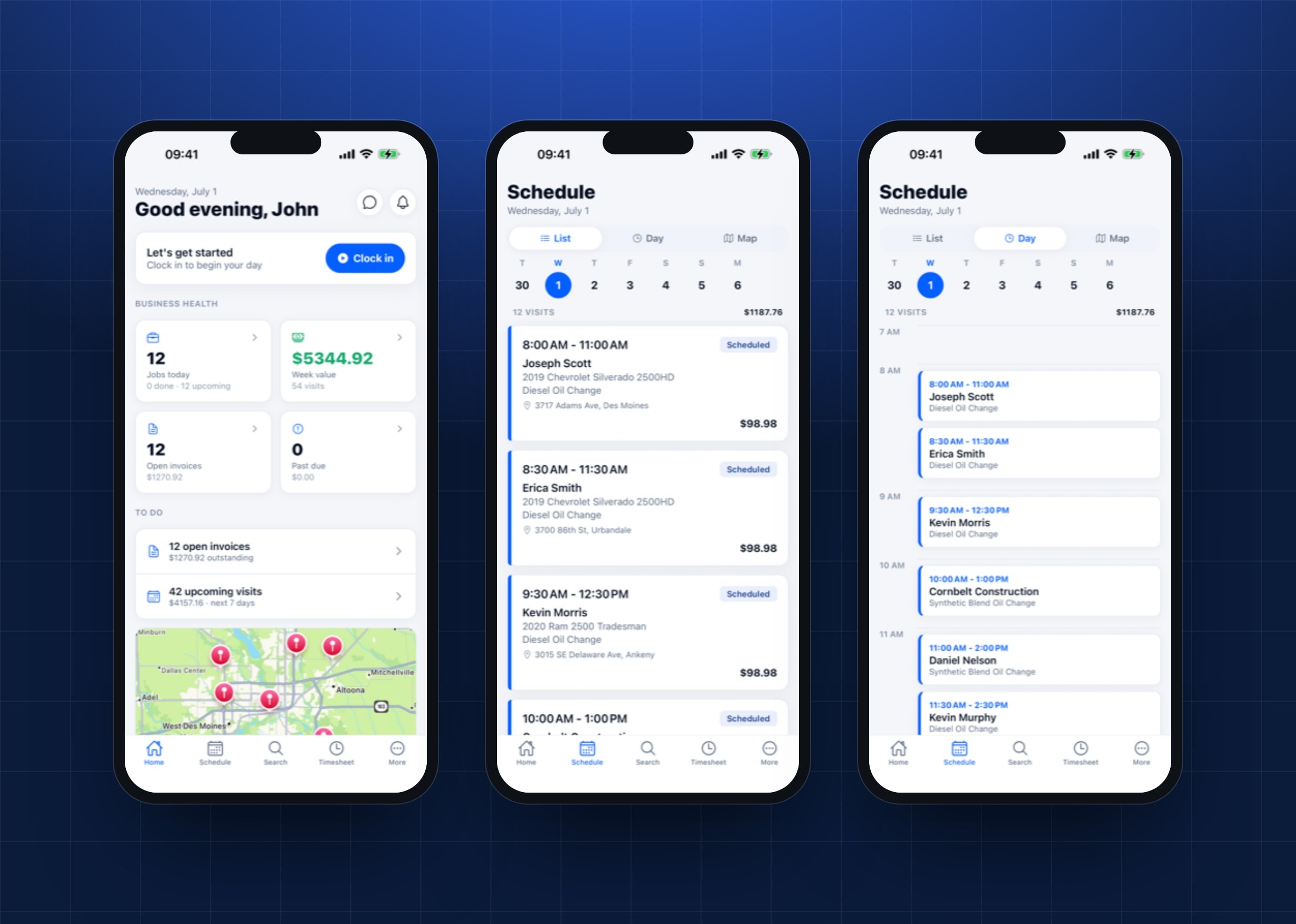
The job in the technician's hand: today's route, the customer and their vehicle, before and after photos, and the card payment taken at the door before the van pulls away. A day it has already loaded still opens in a dead zone, and it is the same account and the same data as the web app.
- Paid before the van pulls away
- At the doorPaid before the van pulls away
- The day's work still opens
- No signalThe day's work still opens
- iPhone and Android
- Both storesiPhone and Android
The problem
The operator dashboard answers questions from a desk. The person doing the work is standing in a driveway holding a phone, sometimes with one bar, and the software has to be usable in that hand in that minute. A responsive web page is not that.
What got built
Expo with file-based routing through Expo Router: roughly fifty screens across five tabs, on the CRM's own Clerk instance so nobody signs up twice. The queries a technician actually needs (schedule, job, photos, add-ons) persist to device storage for a day through React Query's async persister, so a screen that loaded once still opens where the signal does not. Native maps, camera, and location cover the parts of the job that happen outdoors, and expo-updates ships a fix over the air without a store round trip.
Details worth naming
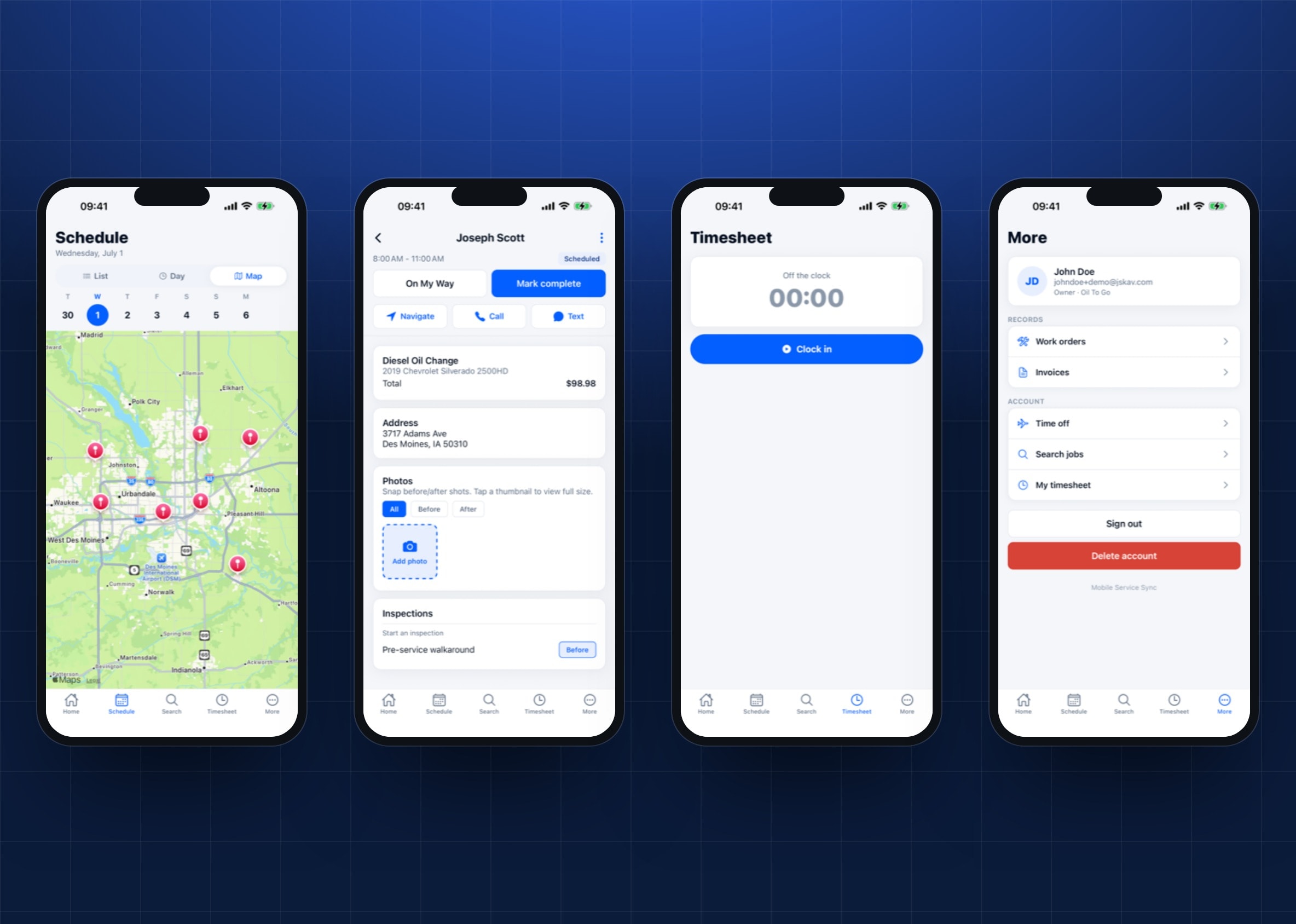
- Five tabs (home, schedule, search, timesheet, more) over roughly fifty screens: work orders, quotes, invoices, inspections, recurring jobs, messages, team, and time off.
- Clock in and out from the phone, with location used to suggest an accurate punch rather than to follow anybody around.
- Before and after photos go from the camera straight onto the work order.
- Card payment collected at the door through a hosted payment component, which only ever sees a short-lived key scoped to that one invoice.
- The day's schedule and job detail persist to device storage for twenty-four hours, so a dead zone does not empty the screen.
- Over-the-air updates through expo-updates, and a shared Clerk session with the web app.
Inside the product
Store screenshots from the shipped build, captured against a seeded demo account.
Next project
Embeddable Booking Widget
A booking wizard that drops into a site you already have

Tell us about the business.
What it does, where, and what the website has to make happen. Within a day you will have a straight answer on what it takes to build, what it costs to run, and what we would cut. If the honest answer is that you do not need a new site, that is the answer you get.
Or skip the form entirely. hello@pinelandtech.com reaches a person, not a queue.